- create flipbook animations online!
Login
Yeet lemme type
GIF
Report
31.07.2018
6 comments
31.07.2018 15:50
Link
Report
Is this comment inappropriate? Report it?
Yes
No
Thank you!
Ok
31.07.2018 15:50
Link
Report
Is this comment inappropriate? Report it?
Yes
No
Thank you!
https://www.google.com/search?client=ms-android-mpcs-us-revc&biw=570&bih=36&tbm=isch&sa=1&ei=CINgW-inJdSSjwTcirxY&q=fredbear&oq=fredbear&gs_l=mobile-gws-wiz-img.3..0i67l2j0l3.85818.90805..91260...1.0...257.4764.0j31j1......0....1.......5..35i39.3htyK4ZzJHA#imgrc=FXLdPgCrsBV58M:
31.07.2018 15:51
Link
Report
Is this comment inappropriate? Report it?
Yes
No
Thank you!
Lol I just found this when I searched up fredbear
31.07.2018 15:59
Link
Report
Is this comment inappropriate? Report it?
Yes
No
Thank you!
Lol
31.07.2018 15:58
Link
Report
Is this comment inappropriate? Report it?
Yes
No
Thank you!
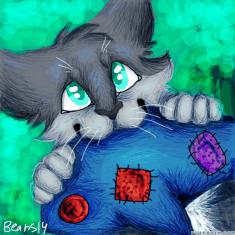
So, I usually use the Paint Roller, it’s easier to use. 1. Draw something 2. Click the Paint Roller and Blackish Gray 3. Choose a direction the light will come from 4. Use the Paint Roller and draw over parts that are Behind it, Under other body parts, and to the opposite side of where the light is 5. Do the same with The second to darkest Gray, but use a few streaks each time you shade one spot and use it on the same side the light comes from. 6. If it has fur, I recommend getting the darkest gray and hawing the Paint Roller to go over the fur areas, it makes it more Detailed. You also can use one of the dot sizes (I recommend the biggest or second biggest) with the darkest Gray and touch over the fur areas.
31.07.2018 18:19
Link
Report
Is this comment inappropriate? Report it?
Yes
No
Thank you!
Same
Login or register to post new comments.