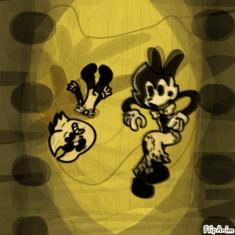




Peace

by:
FossilFighterBlaze  86
86
 86
86
08.09.2020

8 comments

Black-cat
22.09.2020 16:11
Linkhow did you do that blend?
FossilFighterBlaze[OP]
22.09.2020 16:12
LinkOh well it's kinda to explain
Black-cat
22.09.2020 16:13
Linkgtg brb
FossilFighterBlaze[OP]
22.09.2020 16:13
LinkBut I try my best to tell you how to blend the colors together (Not really blending)
FossilFighterBlaze[OP]
22.09.2020 16:13
LinkOh ok
FossilFighterBlaze[OP]
22.09.2020 16:31
LinkHow to do this is by pressing the pencil up above and it will take you to the old beta editor don't press the new beta editor because you will need the old beta editor to do this.
Step one: Grab colors you want to use for the gradient
step two: Go on the pencil and change the size all the way up and make as many dots together but not too much
Step three: download the File and head to the new beta editor
Step four: once you click it you will see a magnifying glass with a plus sign in the middle click it then
Step five: after you click the magnifying glass press the gear and click the green arrow and find the file you downloaded
Step six: after you click on it and if nothing or just one color shows up try to redo these steps again until you get all of the colors
Step seven: If all the colors show up press the small blue box with arrows pointing away from each other and make the dots bigger and there you go A gradient
Black-cat
22.09.2020 19:10
Linkim back
FossilFighterBlaze[OP]
26.09.2020 02:51
LinkOh uh did the steps work?